

 Français
  Español
  Português (Brasil)
  한국어
한국어  日本語
日本語  Italiano
  Türkçe
  简体中文
简体中文 
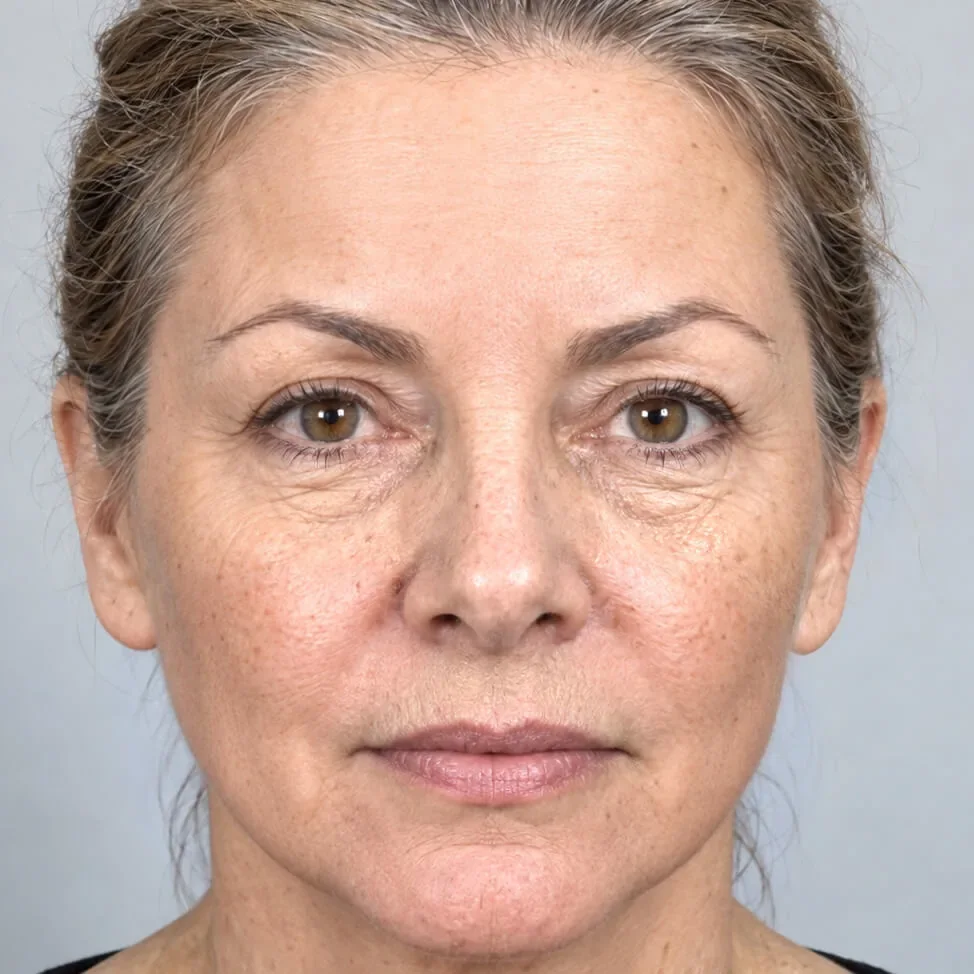
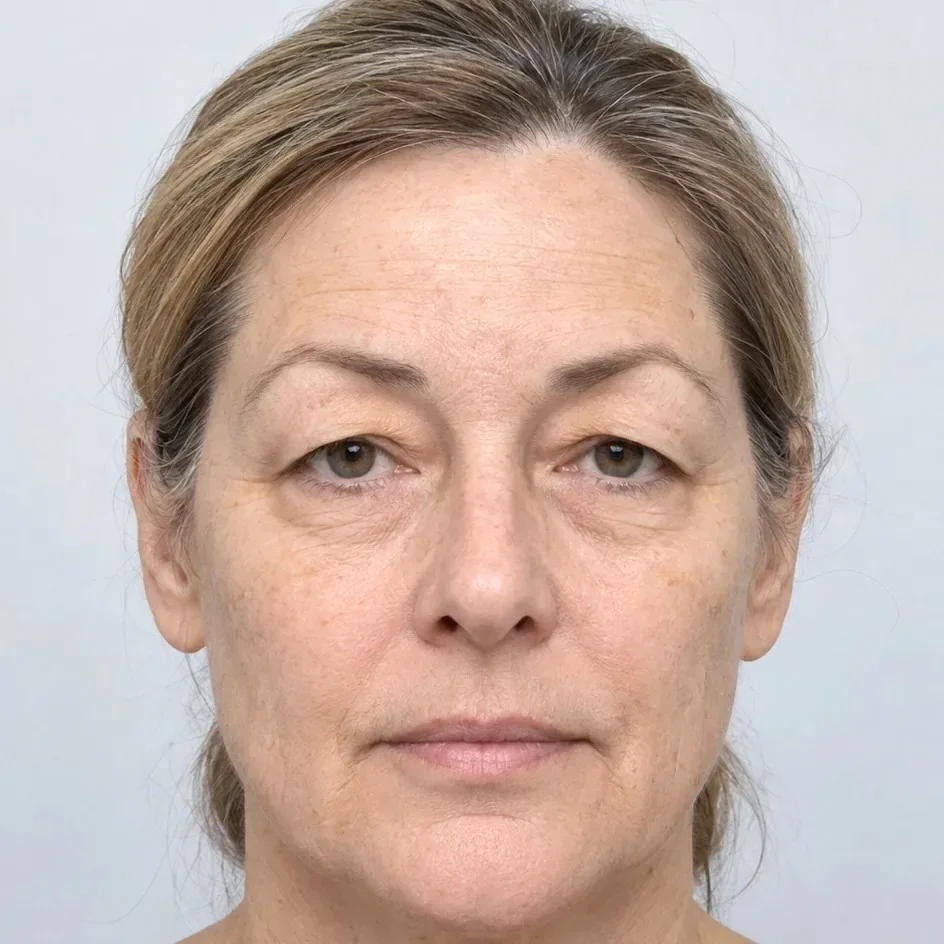
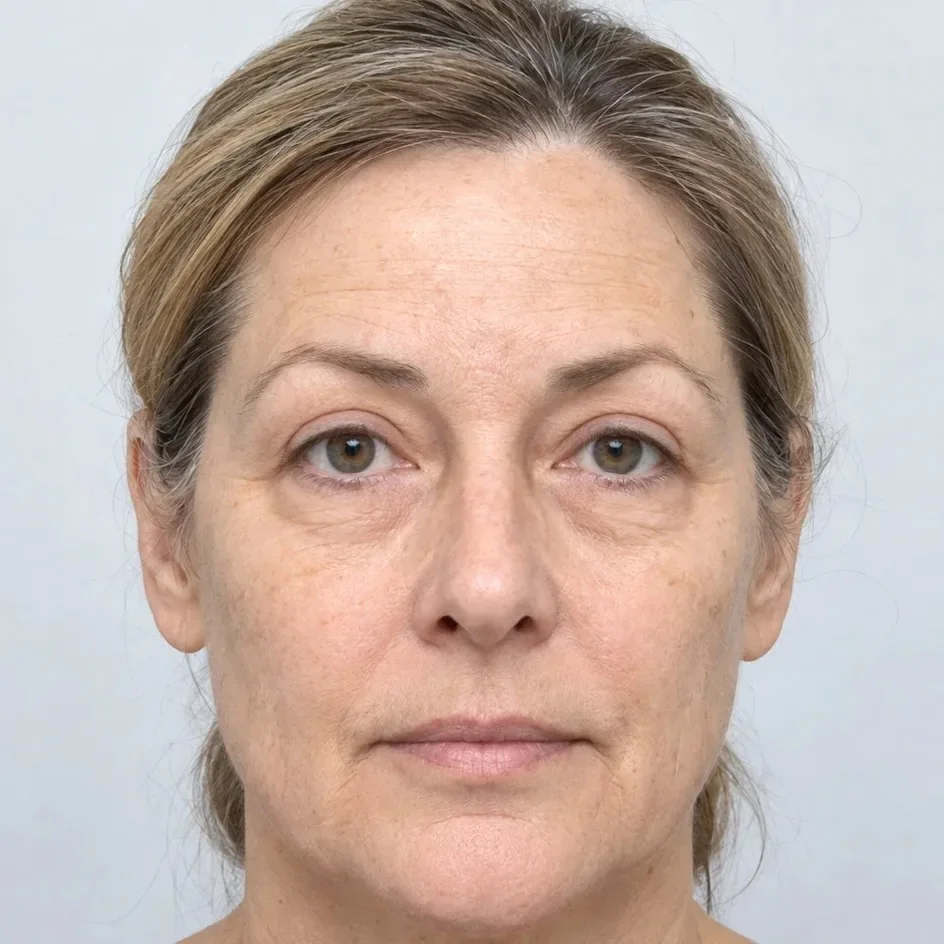
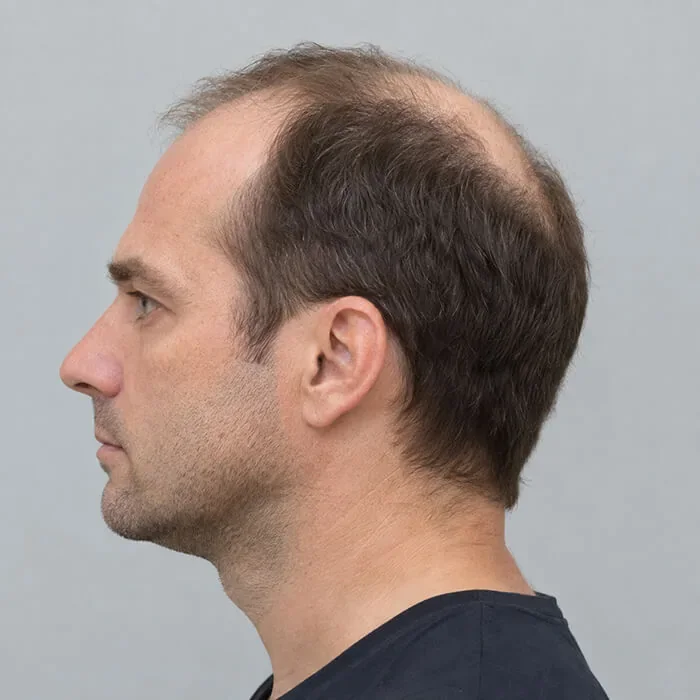
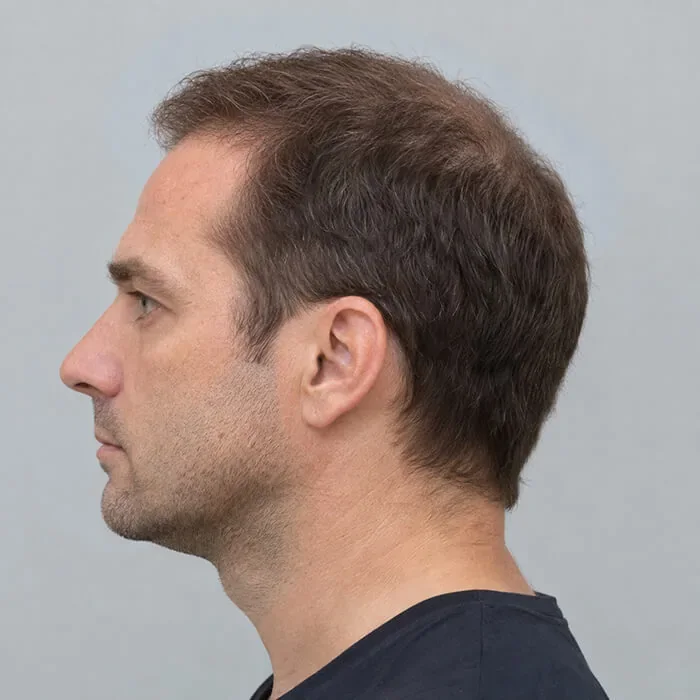
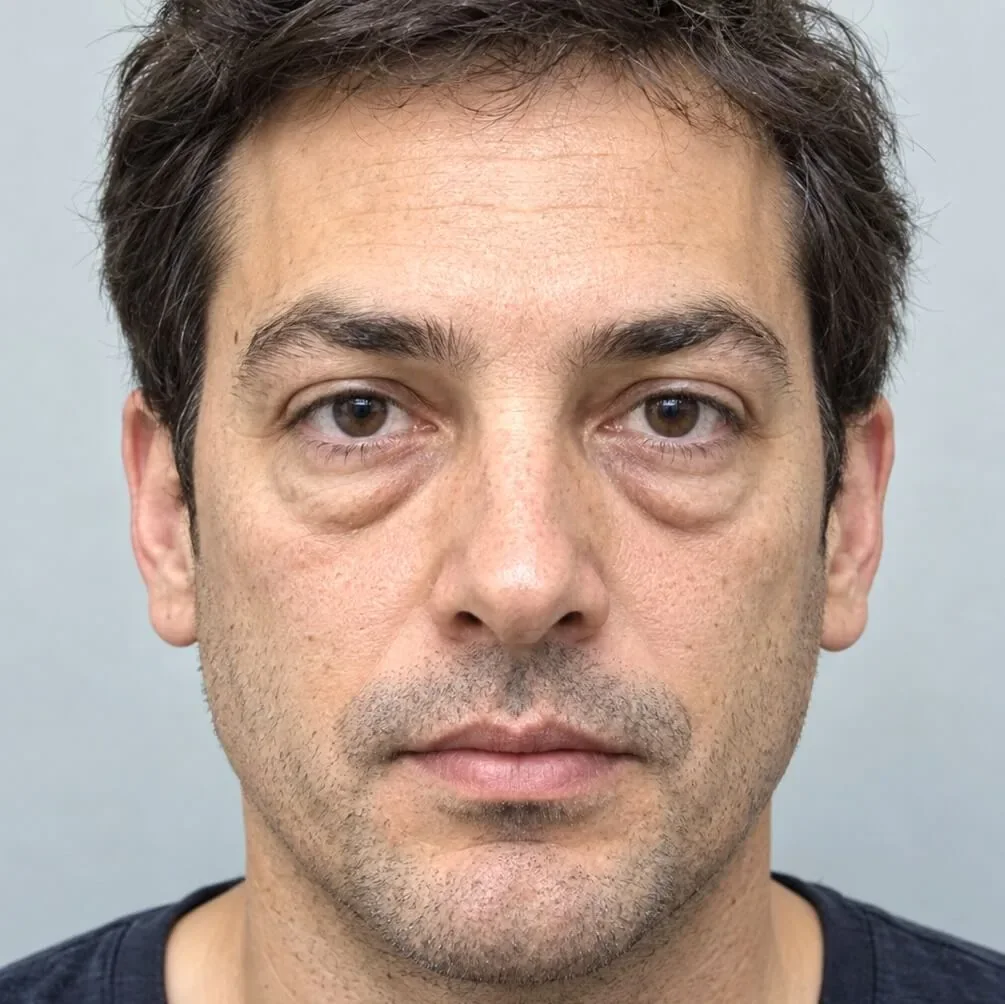
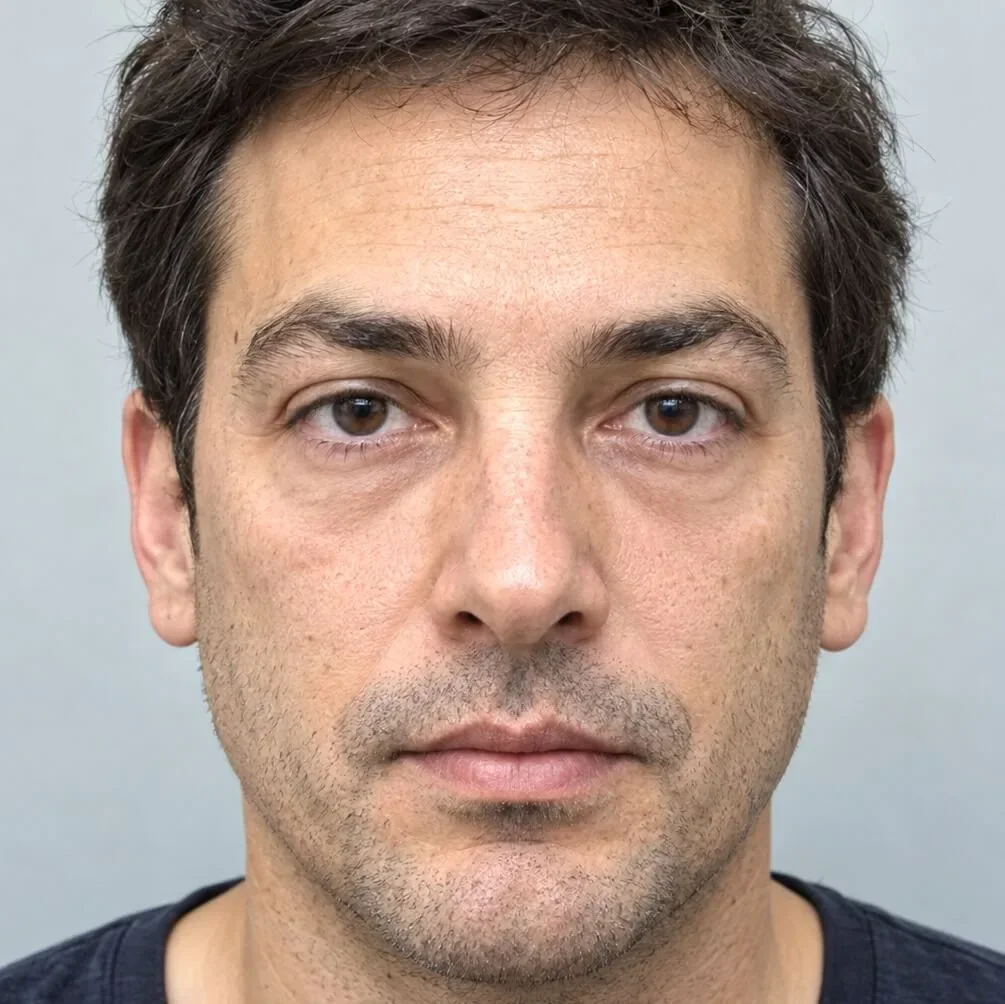
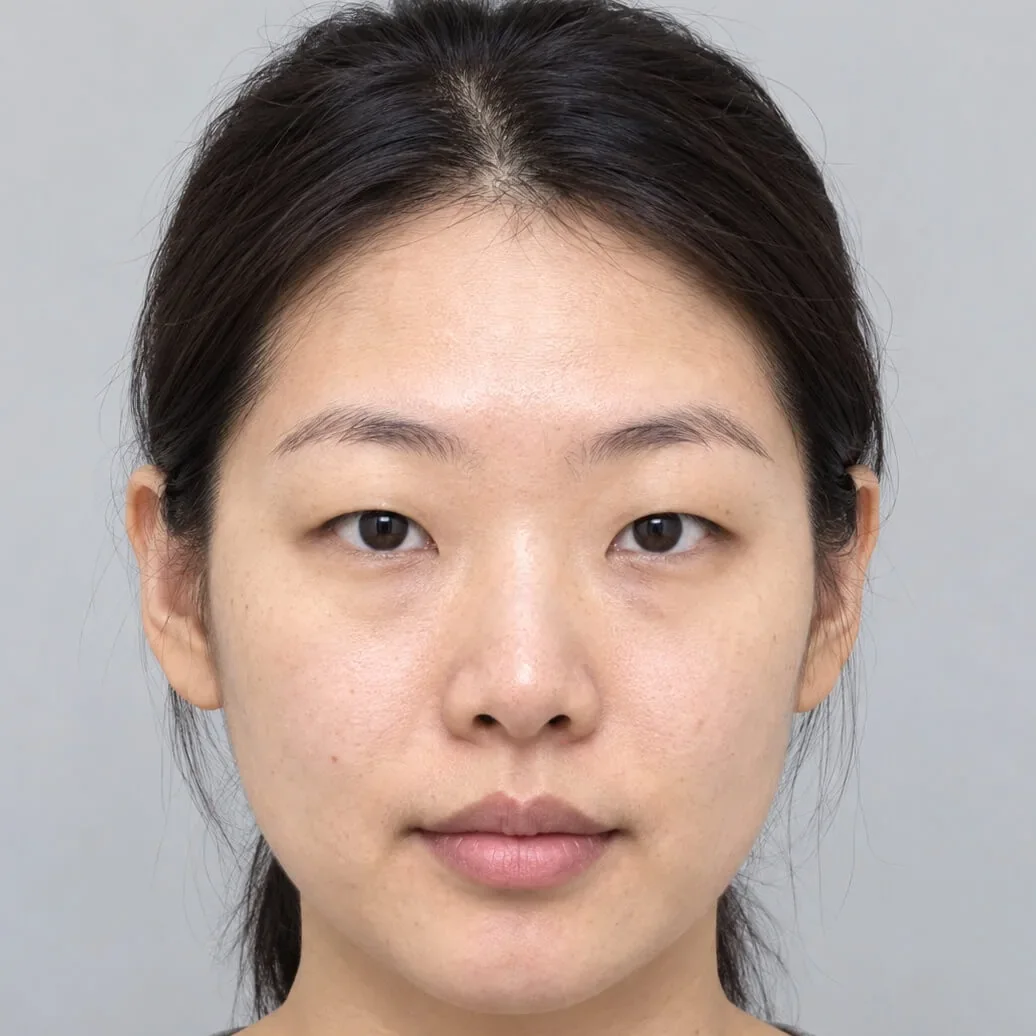
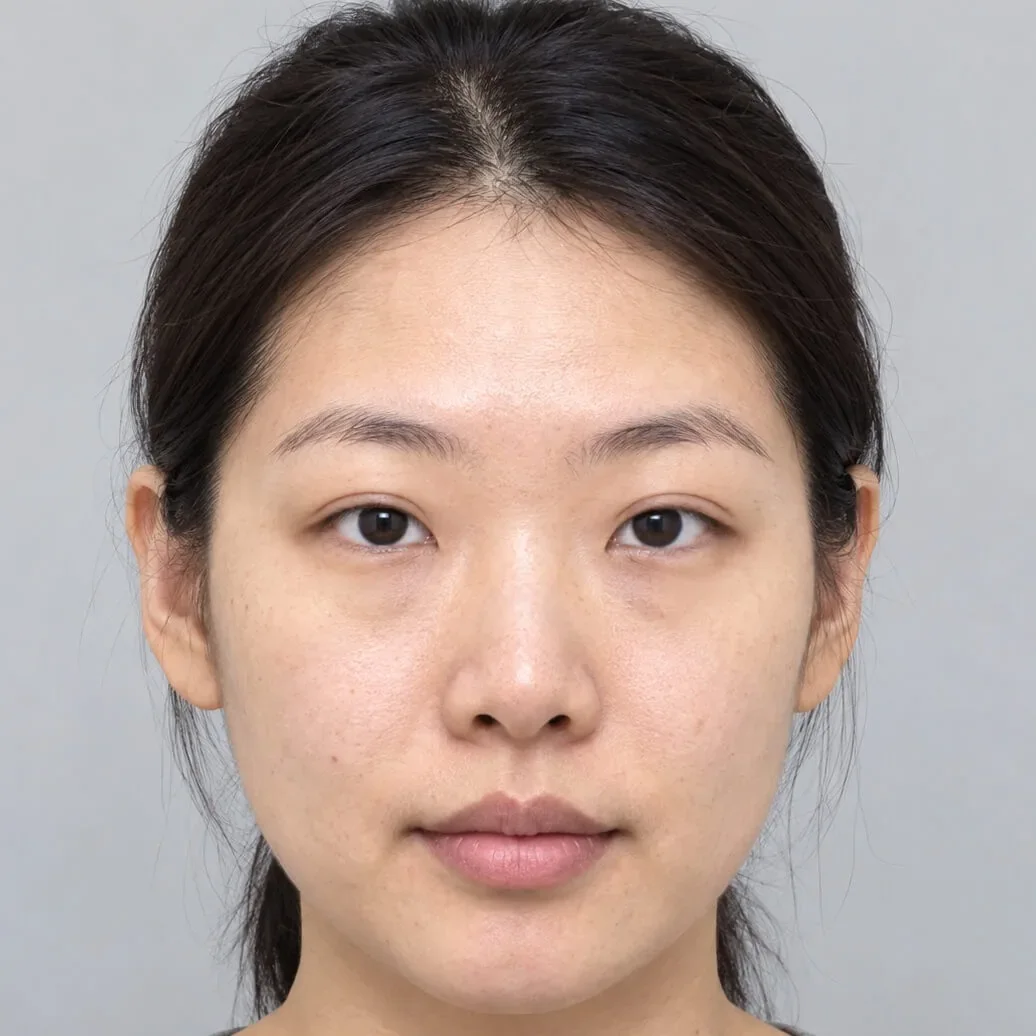
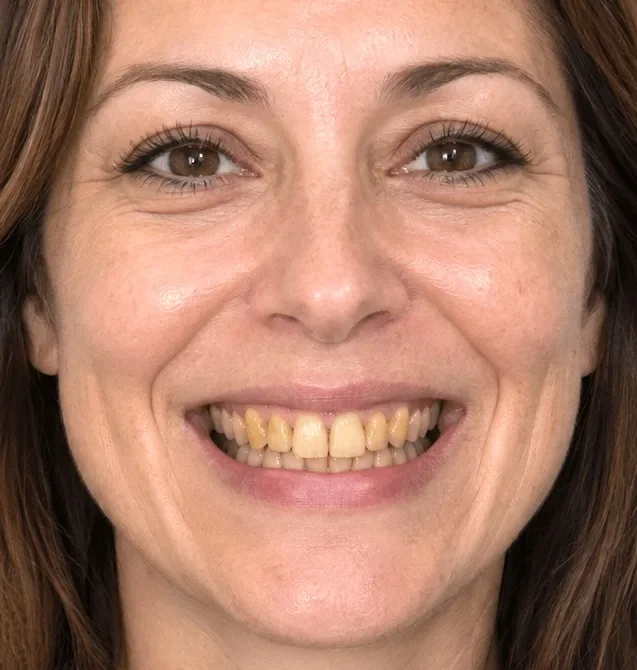
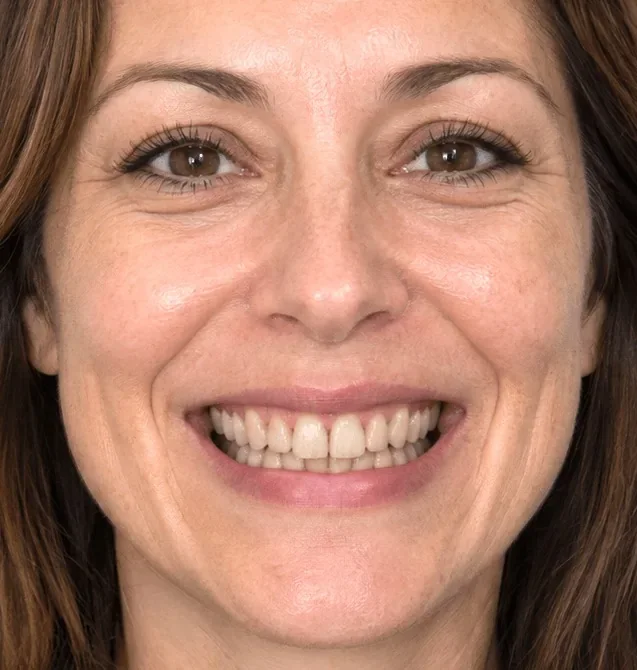
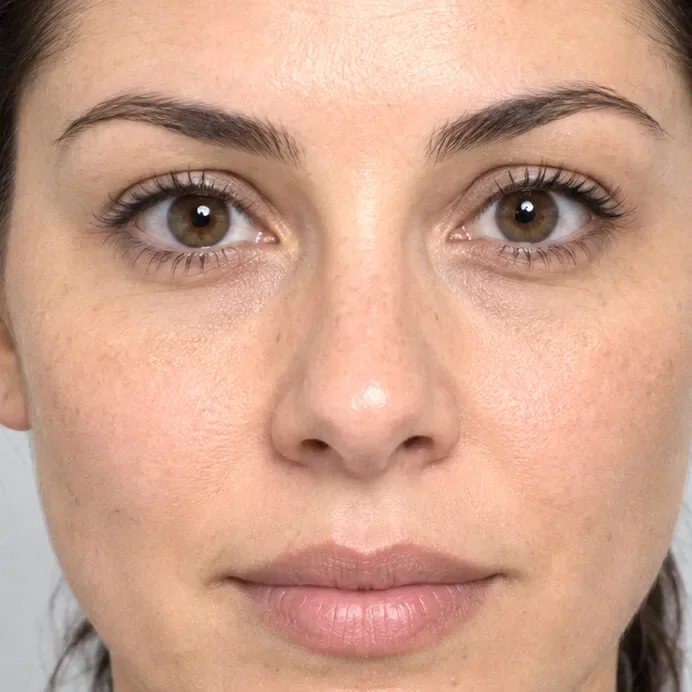
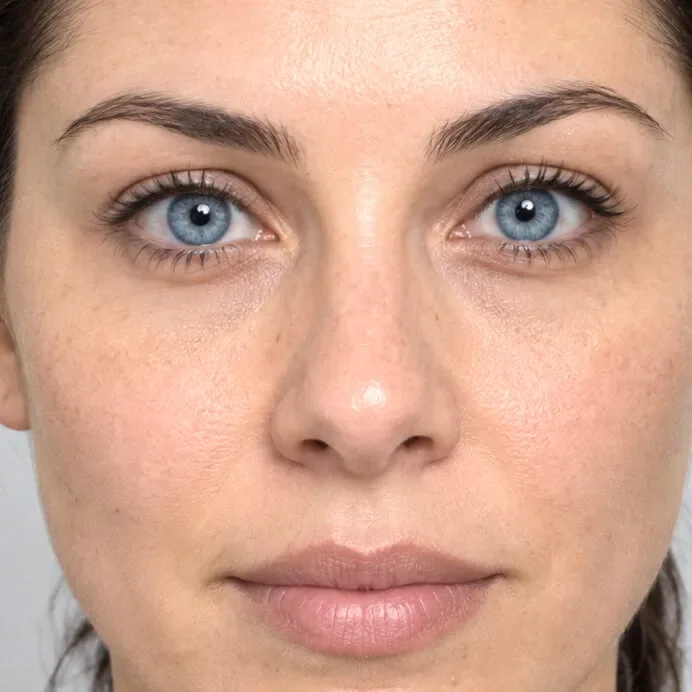
Where the brushes stop, AI Edit begins.
Reshaping brushes move what's already in the photograph: a nose, a jawline, a breast. AI Edit creates what they can't: a facelift, eyelid surgery, under-eye bags removed, a hair transplant, whiter teeth or veneers, a new eye colour.
Three clicks, and you stay in control.
AI Edit puts state-of-the-art generative models in the surgeon's hands, with guard rails that keep every result predictable.
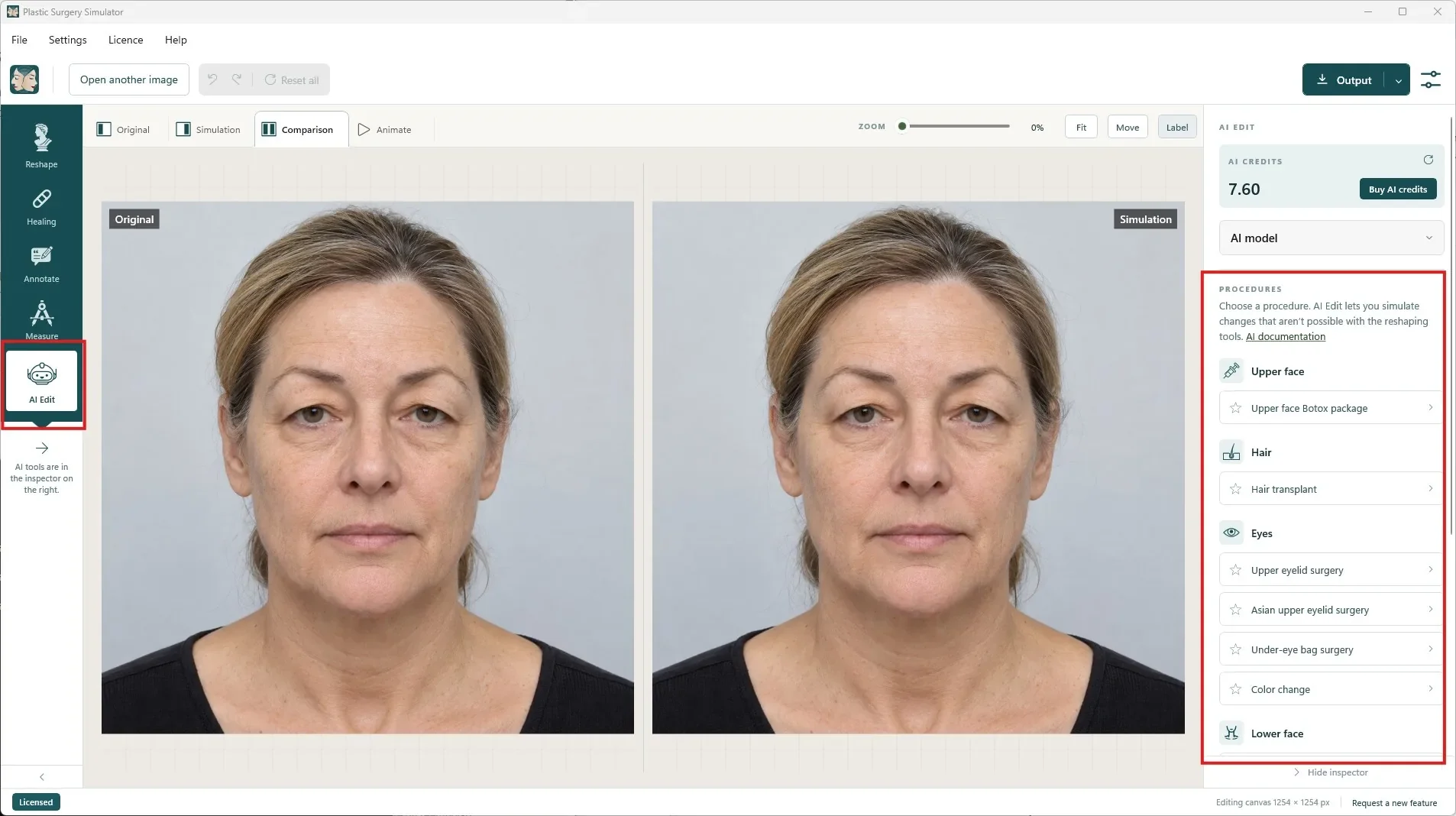
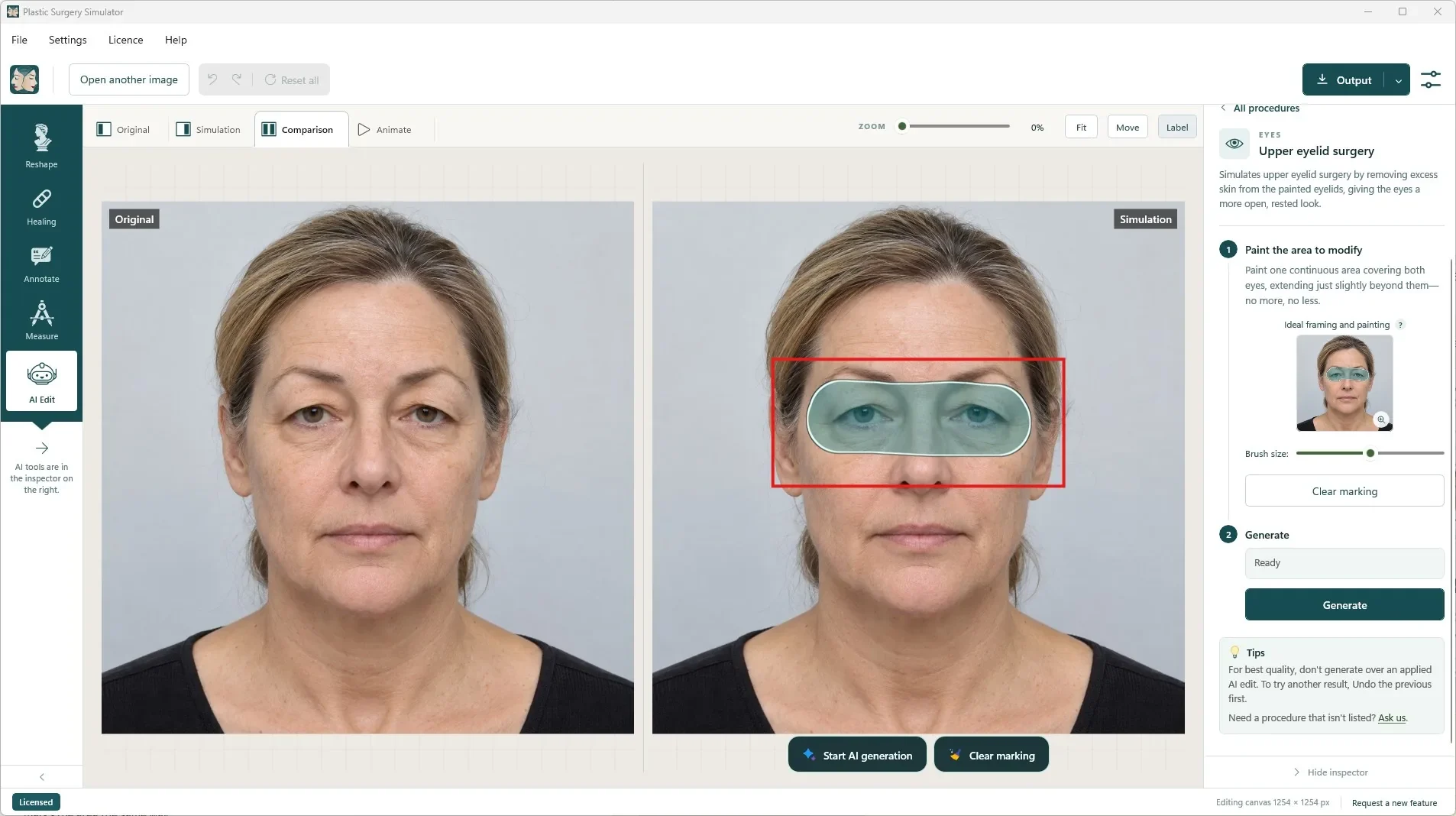
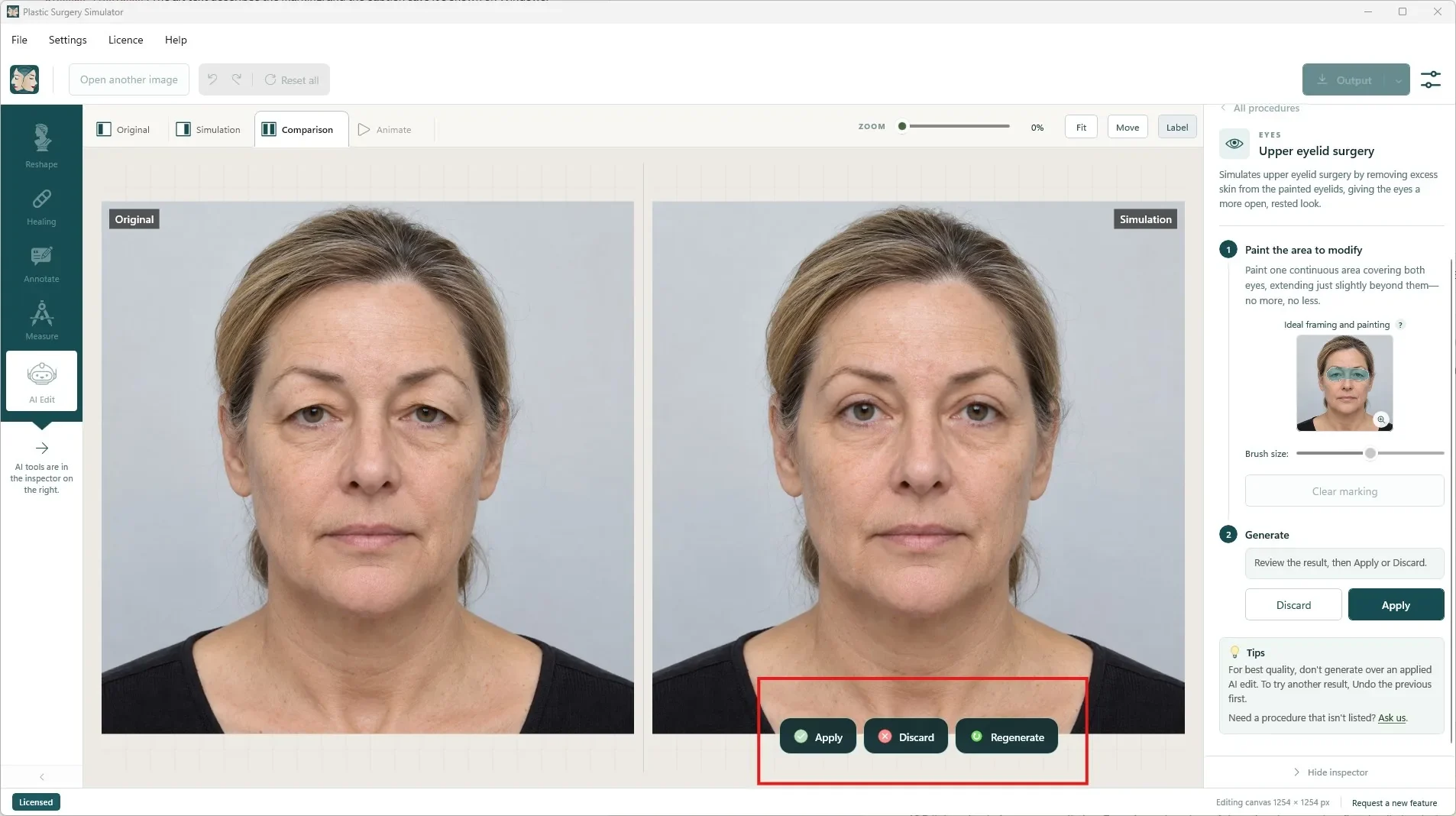
You decide where
Only the painted area is replaced. A narrow soft edge blends it in; everything outside stays untouched.
You decide what
Each procedure sends a fixed, carefully tuned instruction. No prompts, no surprises.
You decide whether
Nothing changes until you press Apply, and Undo works like for any other action.
Nothing sent until you ask
Opening, cropping and editing stay local. Part of a photo is sent only when you press Generate.
Eleven AI procedures, and growing.
Combine them with the reshaping tools: do your AI edits first on the unmodified photo, then refine with Push, Grow or Spot healing.
| Area | Procedure | What the simulation does |
|---|---|---|
| Upper face | Upper face Botox package | Softens forehead lines, frown lines and crow's feet while keeping a natural expression. |
| Hair | Hair transplant | Fills the painted area with natural-looking hair matching the existing colour and texture. |
| Eyes | Upper eyelid surgery | Removes excess skin from the upper eyelids for a more open, rested look. |
| Eyes | Asian upper eyelid surgery | Creates or enhances an upper eyelid crease while preserving the eyes' natural character. |
| Eyes | Under-eye bag surgery | Reduces under-eye bags for a smoother transition to the cheeks. |
| Eyes | Upper eyelid + under-eye bag surgery | Combines both in one generation. |
| Eyes | Color change | Recolours the irises in one of ten shades, keeping their natural texture. |
| Lower face | Lower facelift | Lifts sagging skin, smooths the jowls and defines the jawline. |
| Lower face | Lower face and neck lift | Lifts sagging skin, defines the jawline and smooths the neck. |
| Teeth | Teeth whitening | Removes stains and yellowing while keeping the teeth's natural shape. |
| Teeth | Veneers | Refines the shape, alignment and shade of the teeth for a natural smile. |
Missing a procedure? Ask us. New procedures are added regularly.
Pay only for what you generate.
AI Edit is optional, and it is the only feature charged per use: every generation is processed by an AI provider that bills us image by image. We send only the part of the photo the model needs, which keeps each simulation cheap. Everything else is unlimited in your licence.
- 1 credit = 1 US dollar, sold in packs of 10.
- $1 of free credit with every licence: roughly 5 to 15 simulations.
- Failed generations usually cost nothing, and your balance never goes below zero.
- One balance for your Windows and macOS licences, kept if a licence lapses.
- Eyelids, under-eye bags, eye colour
- from about $0.05
- Lower face and neck lift
- about $0.10 to $0.20
- High quality
- uses more credits than Default
The exact cost depends on the size of the painted area. The app shows the credits used after every generation.
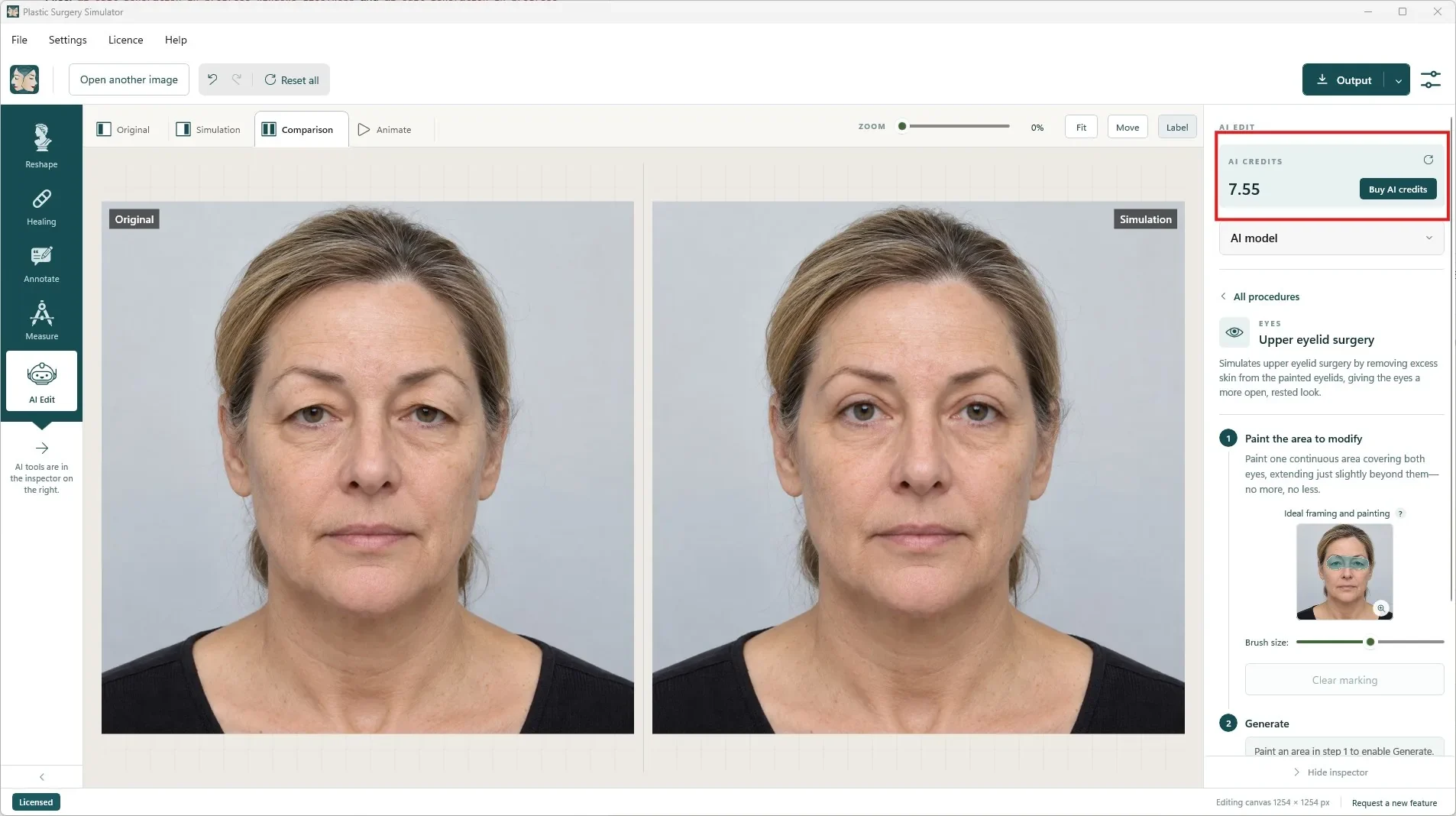
Only the painted area. Only when you ask.
AI Edit is the only feature of Plastic Surgery Simulator that sends part of a photograph outside your computer, and only when you press Generate.
Before using AI Edit on a patient's photo, make sure you have the patient's authorization. That responsibility rests with the practitioner. The first time you open AI Edit, the app asks you to accept the AI usage agreement.
Read our image policy →What is sent
A newly created copy of the painted area with some surrounding context, so the model can match lighting and skin tone.
What is never sent
The rest of the photo, the original file and its metadata, file names and folders, your annotations and any client information.
Where it goes
Directly between your computer and the AI provider, including OpenAI. It never passes through or is stored on our servers.
At the AI provider
Stored privately, set to expire 10 minutes after processing, never used to train or develop any product or service.
What you need
- A licence ($99 per year). In the trial you can explore AI Edit; generating requires a licence.
- AI credits: $1 is included to get you started.
- An internet connection while you generate.
- Windows or macOS: AI Edit works the same on both, with the same procedures and credits.
Get it right the first time
Do AI edits first
Generate and apply every AI edit on the unmodified photo, before reshaping, Spot healing or annotations.
Don't stack edits on one area
If you don't like an applied result, Undo it before generating a new one.
AI Edit questions
What can AI Edit do that the reshaping tools can't?
Reshaping moves what is already in the photograph: it can lift, narrow or enlarge, but it can't add hair, remove under-eye bags, tighten skin, whiten teeth or change eye colour. AI Edit generates those changes inside the area you paint and blends them into the original photo.
Do I need to write prompts?
No. Each procedure sends a fixed, carefully tuned instruction to the model. You choose the procedure, paint the area and press Generate.
How much does a simulation cost?
It depends on the size of the painted area, because only that part of the photo, with a little context, is processed. Eye procedures can cost as little as $0.05; a full lower face and neck lift costs about $0.10 to $0.20. High quality uses more credits than Default. After each generation the app shows exactly how many credits were used.
Can I use AI Edit during the free trial?
During the trial you can open AI Edit, browse the procedures and paint. Generating requires a paid licence, which includes $1 of free AI credits, enough for roughly 5 to 15 simulations.
Am I charged for a failed generation?
Usually not. You are only charged when the AI provider actually processed the request, and the app tells you if credits were used. A generation cancelled before the provider finishes is free. Regenerate is a new generation, and discarding a result does not refund it.
Do Windows and macOS share the same credits?
Yes. Your Windows and macOS licences share one AI credit balance. If a licence lapses, its credits are kept and become usable again when you renew.
Is the patient's photo stored or used for training?
No. A copy of the painted area with some surrounding context is sent directly from your computer to the AI provider, never through our servers. It is kept private, set to expire 10 minutes after processing, and not used by the provider or by us to train or develop any product or service.
Show patients what reshaping alone can't.
Download the complete software and simulate for seven days. No account, no credit card, nothing to cancel. Buy a key from the app or here when you are ready.